Brand & white-label
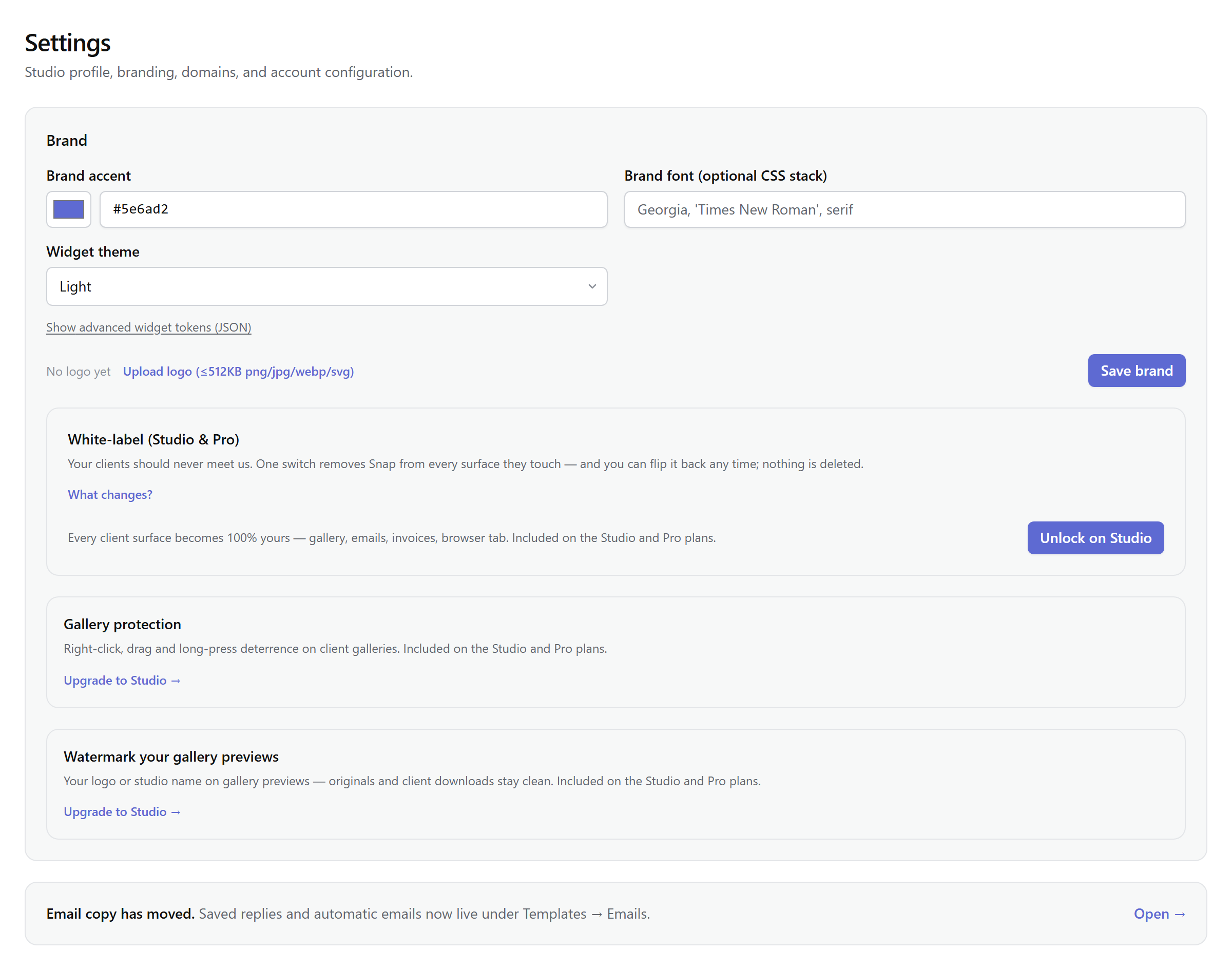
One screen decides what your clients see: Settings → Brand carries your accent, your logo, and — on Studio and above — the switch that removes Snap from every client surface. Everything here applies studio-wide, the moment you save.
Where your brand appears
- Emails — your accent colors every automatic email, and your logo tops the header once the asset kit is generated.
- Galleries — the footer, the browser tab title, the favicon, and the share card previews on links.
- Invoices — the PDF header carries your accent, and your logo once generated.
- Booking page, embeds, portal and app — your accent and logo on the booking page and embedded widgets, the client portal cards, and the installed app icon.
Setting it up
Pick a brand accent (color picker or hex), an optional font stack, and upload a logo (≤512 KB PNG, JPG, WebP or SVG). Widgets get a light/dark/auto theme, and an advanced JSON panel exposes widget tokens — radius, surfaces, borders — with a live preview that reloads on save.
The brand asset kit Studio
From the one logo, Snap generates a matching kit in your browser: favicon, apple-touch icon, email header, social share card, and the watermark source. It runs automatically after a logo upload on white-label plans, and the card keeps preview chips and a regenerate button for later.
White-label Studio
One toggle, self-serve, reversible at any time — nothing is deleted when you flip it. The entitlement comes with Studio; the switch is yours. What changes:
| Client surface | Without | With |
|---|---|---|
| Gallery footer | Delivered by you via Snap | © your studio |
| Emails | Snap wordmark, "via Snap" | Your logo, "Sent by your studio" |
| Booking page | "…via Snap" | Your brand only |
| Invoice PDF | Accent header | Your logo + accent |
| Browser tab | Snap | Gallery · your studio |
For your own hostname in front of it all, see custom domains.
Watermarks Studio
The watermark card lives here too: a logo in one corner, a tiled logo, or your studio name as text — with opacity, scale, and margin sliders over a live canvas preview. Watermarks apply to client gallery previews only: originals and standard downloads stay clean. A proofing gallery flips that per grant — downloads deliver the watermarked preview instead of the original, for pre-sale selects. Changing the config regenerates watermarked previews for existing photos right in the browser, in a resumable pass.
Gallery protection
Also on white-label plans: a toggle that disables right-click, drag-to-desktop, and long-press save menus on gallery photos. It deters casual saving; like every platform it cannot prevent screenshots, and Snap won't pretend otherwise. The full, straight story is in photo protection.
Note: Saved email replies and automatic email copy moved to Templates → Emails; brand settings are only about how things look.